Page 1 of 1
Custom keywords order
Posted: Wed Oct 01, 2025 11:27 pm
by Banta
After last update (1.9.4) keywords assigned to images in unclear order. Previously, it was possible to use the ordered arrangement of keywords in the TAGS table of the XNVies.db file to assign them conveniently to image files. As example
D; E; A|F; Y; B
where keywords in TAGS was listed like
H
D
iik
E
A
Y
B
F (parent A)
...
So now they assigned neither alphabetically nor according to the ordinal number in the table - F; Y; B; E; A; D or somthg. Is there a trick to get the old functionality back? Well, except for rolling back to the old version

Re: Custom keywords order
Posted: Thu Oct 02, 2025 6:26 am
by user0
sounds like you re doing weird things, show some pictures
ps. categories order in the app is and always must be alphabetical
Re: Custom keywords order
Posted: Thu Oct 02, 2025 7:35 am
by Banta
user0 wrote: Thu Oct 02, 2025 6:26 am
sounds like you re doing weird things, show some pictures
ps. categories order in the app is and always must be alphabetical
Pre 1.9.4:
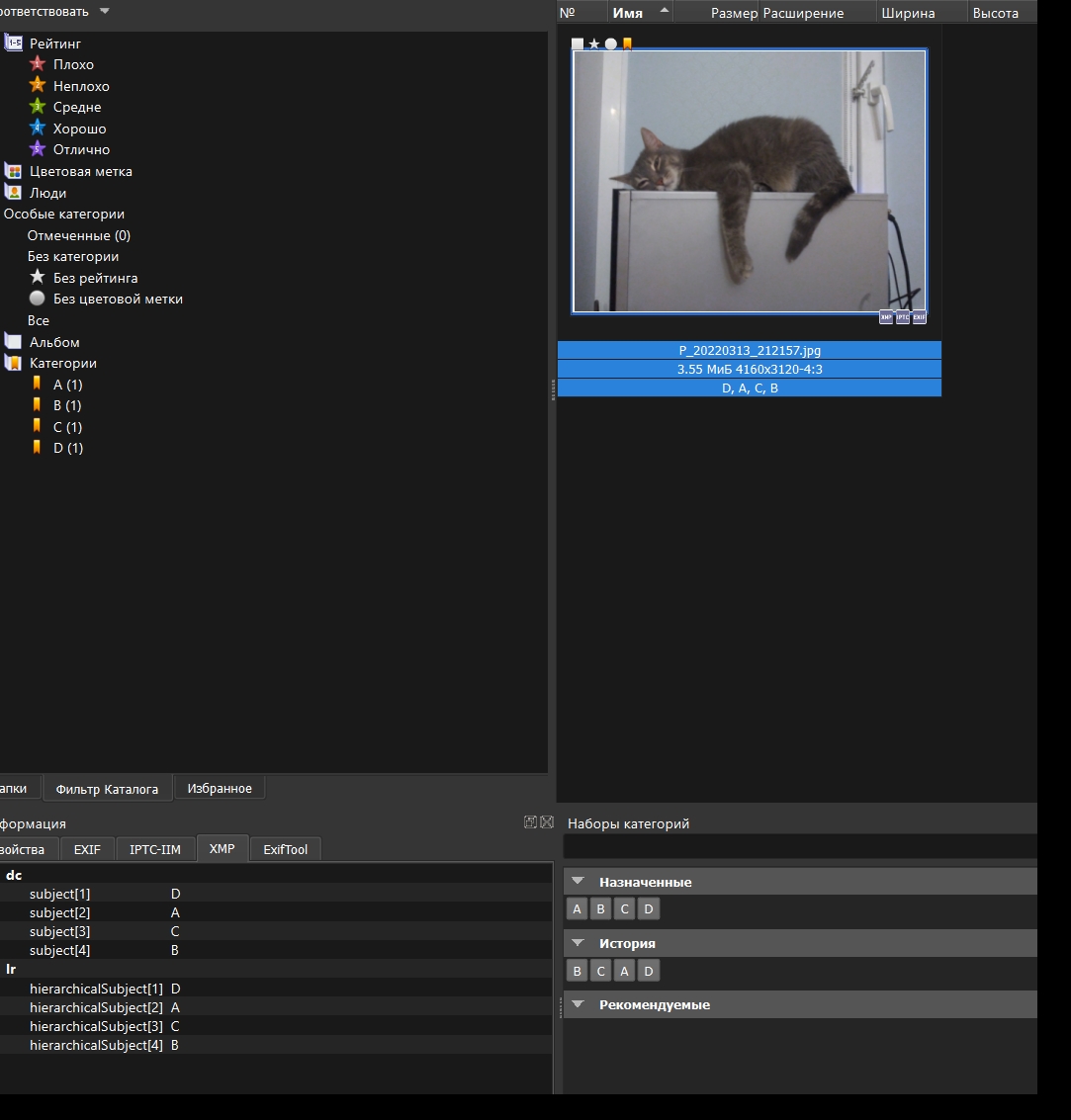
- 1.jpg (256.37 KiB) Viewed 656 times
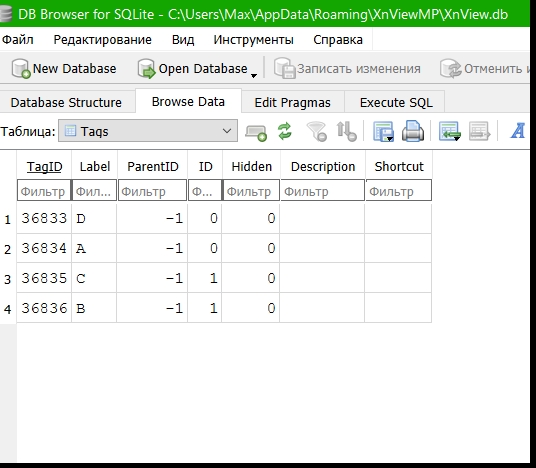
- 2.jpg (120.87 KiB) Viewed 656 times
and in explorer:
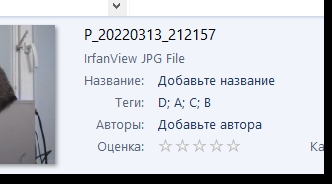
- 3.jpg (33.34 KiB) Viewed 656 times
1.9.4:
now strange sorting in xmp
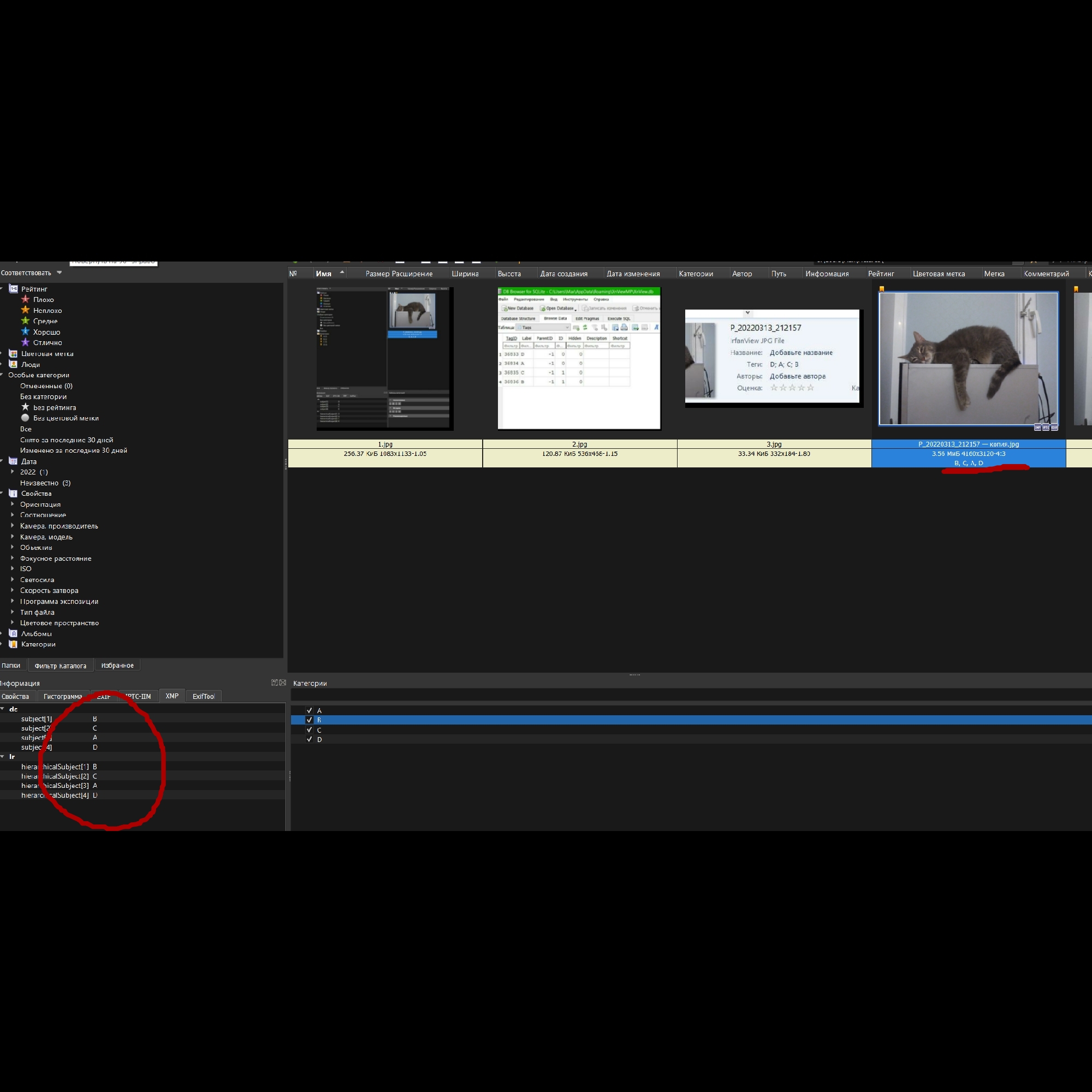
- 4.jpg (501.69 KiB) Viewed 656 times
bot no changes in TAGS table
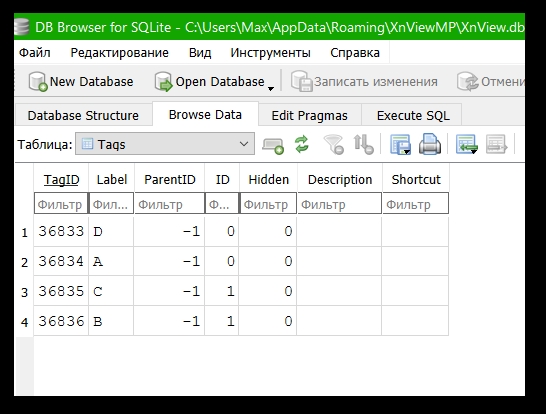
- 5.jpg (119.06 KiB) Viewed 656 times
so in explorer keywords with new order too (maybe inversed but not 100% sure)
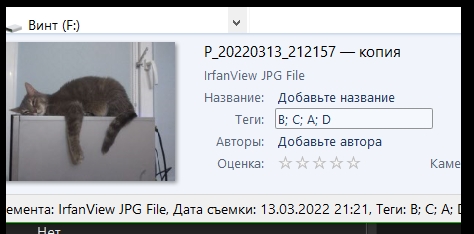
- 6.jpg (69.98 KiB) Viewed 656 times

Re: Custom keywords order
Posted: Thu Oct 02, 2025 7:51 am
by Banta
Well, seems it inversed now:
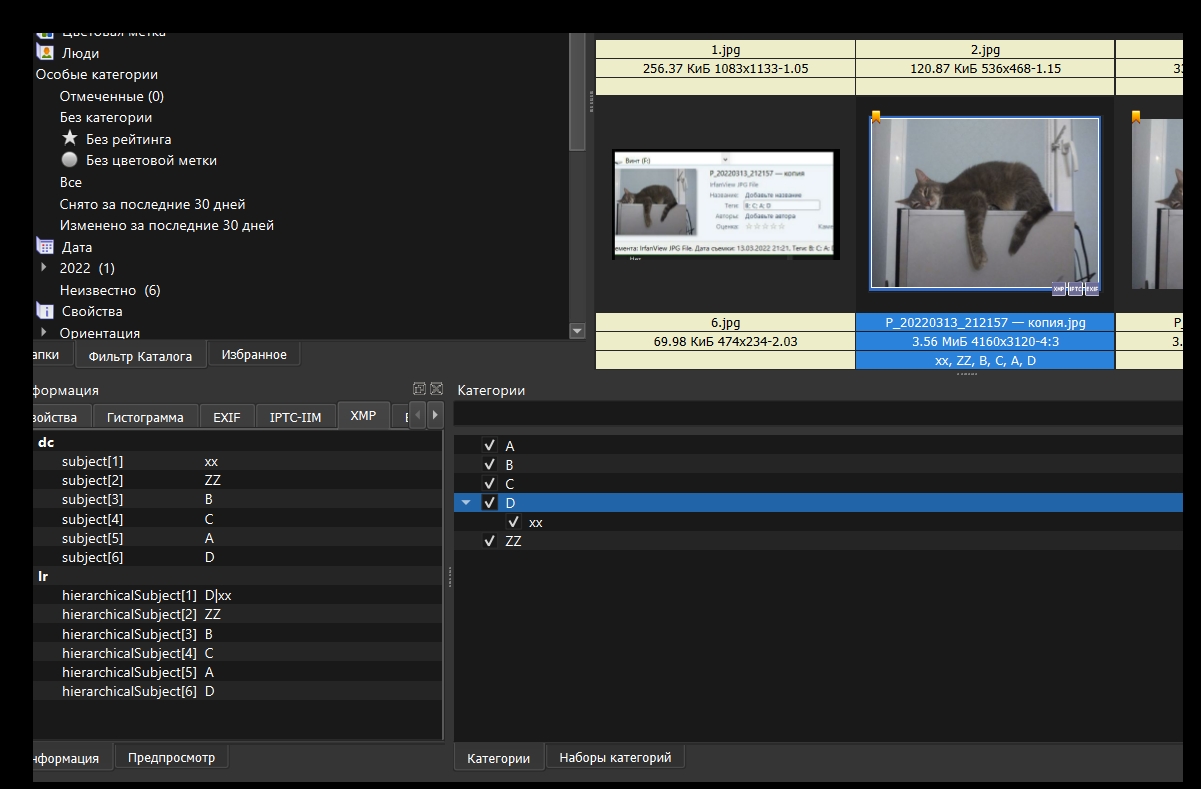
- 7.jpg (288.27 KiB) Viewed 647 times
child category XX last in table, but first in order AND separated from its parent

Is this a bug, or is it supposed to be like this?

Re: Custom keywords order
Posted: Thu Oct 02, 2025 9:36 am
by user0
database has nothing to do with the order in which data is written to the file
you can request 'Write Keywords in alphabetic order' feature
which on write event will read all keywords(existing+new), sort them, and write in order(one-by-one?)
Re: Custom keywords order
Posted: Thu Oct 02, 2025 9:41 am
by Banta
user0 wrote: Thu Oct 02, 2025 9:36 am
database has nothing to do with the order in which data is written to the file
you can request 'Write Keywords in alphabetic order' feature
which on write event will read all keywords(existing+new), sort them, and write in order(one-by-one?)
As you can see XMP tags are recorded
strictly in the order they appear in the database - see screenshots previous posts. At least prior 1.9.4.
Re: Custom keywords order
Posted: Sun Oct 12, 2025 2:47 pm
by xnview
Banta wrote: Thu Oct 02, 2025 9:41 am
As you can see XMP tags are recorded
strictly in the order they appear in the database - see screenshots previous posts. At least prior 1.9.4.
Keywords are sorted, why it's a problem?
Re: Custom keywords order
Posted: Sun Oct 12, 2025 4:56 pm
by Banta
xnview wrote: Sun Oct 12, 2025 2:47 pm
Banta wrote: Thu Oct 02, 2025 9:41 am
As you can see XMP tags are recorded
strictly in the order they appear in the database - see screenshots previous posts. At least prior 1.9.4.
Keywords are sorted, why it's a problem?
In Windows explorer images gets Keywords from XMP tags. So prior 1.9.4 was a trick to arrange them in a special way. By default, tags were filled in according to the order they were added to the database, which was also non-alphabetical. It was possible to prepare a keywords file for import into the program's database in such a way that the XMP tags were arranged in a custom order. After last update this trick broken - the order of xmp tags was reversed relative to their appearance in the database. Is it possible to return to the previous xmp tag assignment system, or will I have to flip the import file and hope that everything works?
Re: Custom keywords order
Posted: Wed Oct 15, 2025 8:57 am
by xnview

Thanks to your detailed description I can reproduce
the problem.
Re: Custom keywords order
Posted: Tue Dec 02, 2025 8:54 am
by xnview
This problem is supposed to be fixed in
XnView MP 1.9.6. Please check and confirm the bug fix here.