Sticky Note Mode: hide all border, always on top
This will be very useful when place some useful tool image on screen
Demo of sticky note mode for xnview scenario:
Example of sticky note mode of Notepad++ and potplayer
Sticky Note Mode
Moderator: xnview
-
BK201

- Posts: 96
- Joined: Fri Apr 06, 2012 3:43 pm
Sticky Note Mode
You do not have the required permissions to view the files attached to this post.
-
BK201
- Posts: 96
- Joined: Fri Apr 06, 2012 3:43 pm
Re: Sticky Note Mode
In case anyone needed this, I found a perfect alternative to this: Snipaste
https://www.snipaste.com/
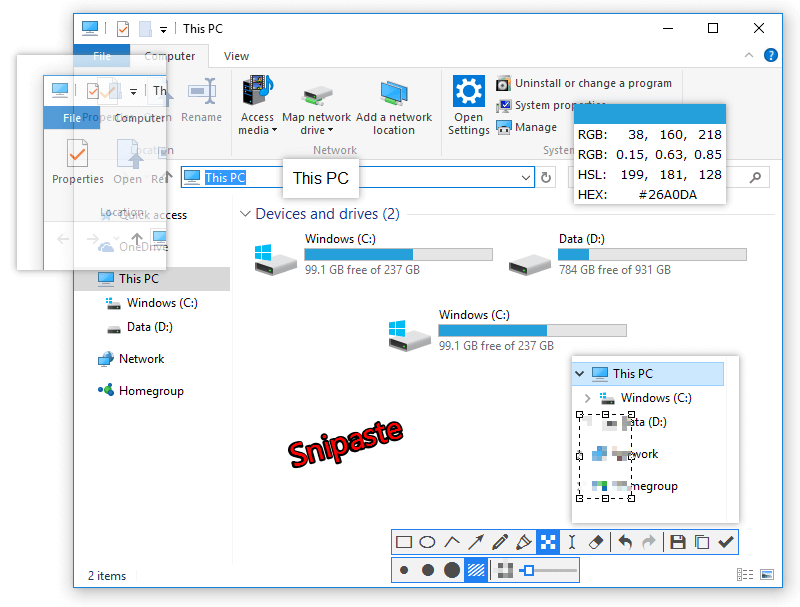
https://www.snipaste.com/
-
user0

- XnThusiast
- Posts: 3158
- Joined: Sat May 09, 2015 9:37 am
Re: Sticky Note Mode
+1
for adding Frameless (borderless) mode (F10) (like in Nomacs, ImageGlass)
which would automatically:
- enable 'Always on top'
- change Autozoom to 'Fit window to image'
- disable Titlebar, Tabs, Menu, Statusbar, Toolbar (so only image is visible)
- use snap to screen edge while dragging
currently you can manually:
- add 'Always on top' button (Settings > Toolbar or Context menu)
- change Autozoom to 'Fit window to image'
- disable Titlebar, Statusbar, Toolbar
related
General - always on top - few improvements
for adding Frameless (borderless) mode (F10) (like in Nomacs, ImageGlass)
which would automatically:
- enable 'Always on top'
- change Autozoom to 'Fit window to image'
- disable Titlebar, Tabs, Menu, Statusbar, Toolbar (so only image is visible)
- use snap to screen edge while dragging
currently you can manually:
- add 'Always on top' button (Settings > Toolbar or Context menu)
- change Autozoom to 'Fit window to image'
- disable Titlebar, Statusbar, Toolbar
related
General - always on top - few improvements
Last bumped by user0 on Fri Oct 11, 2024 5:26 pm.