Page 1 of 1
1.9.5: DNG orientation broken after cropping image
Posted: Sun Oct 26, 2025 10:43 am
by FKCapitalism2
1. DNG image with portrait orientation shows fine in full screen view and thumbnail
2. DNG is cropped from vertical to become horizontal image
3. DNG shows rotated 90° in both preview and thumbnail.
Same cropped DNG shows with proper horizontal orientation in other image viewers so must be bug in XnView MP.
Source images:
https://www.upload.ee/files/18737597/DNG.zip.html
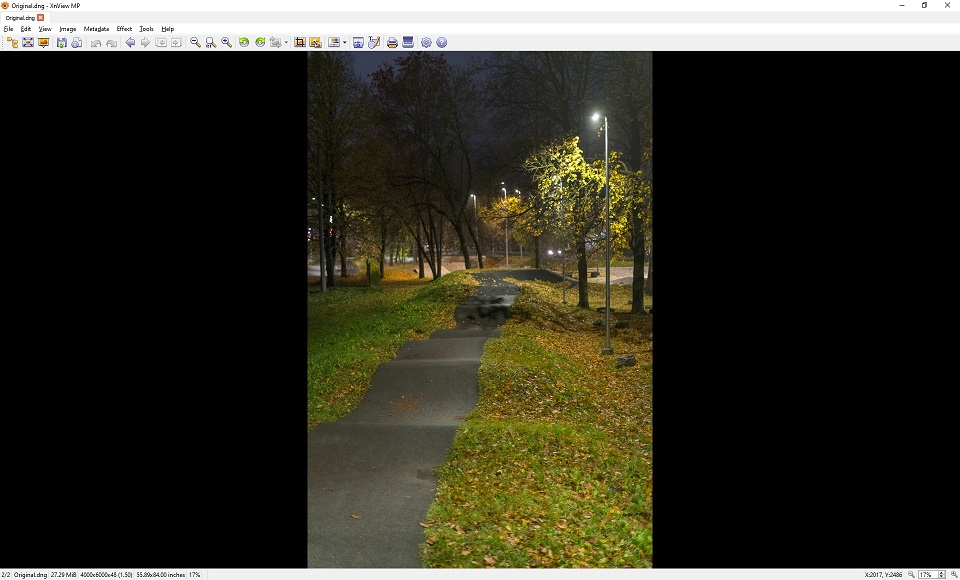
- 1.jpg (122.9 KiB) Viewed 375 times
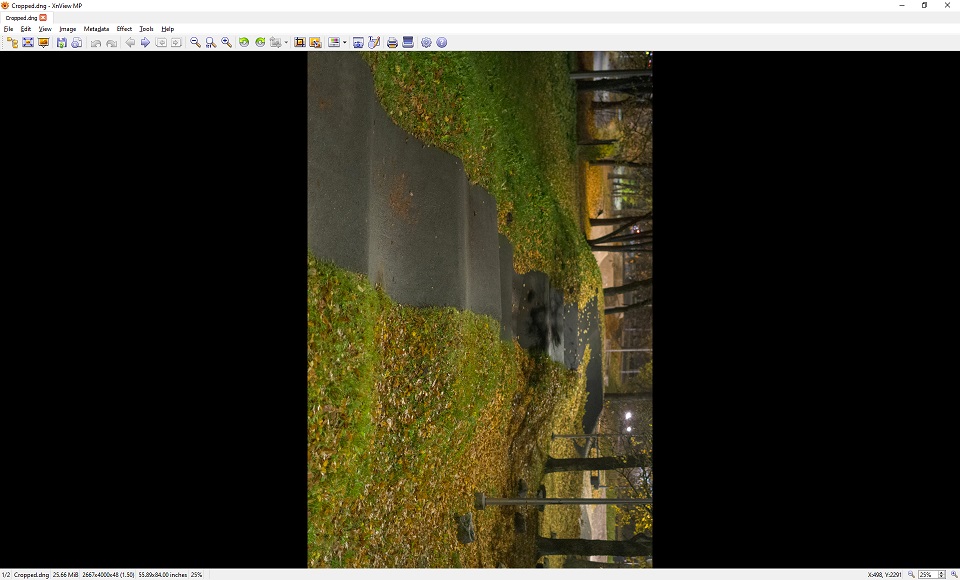
- 2.jpg (128.78 KiB) Viewed 375 times
Re: 1.9.5: DNG orientation broken after cropping image
Posted: Wed Oct 29, 2025 4:25 pm
by FKCapitalism2
Hello, were you able to reproduce?
Re: 1.9.5: DNG orientation broken after cropping image
Posted: Tue Nov 04, 2025 2:26 pm
by xnview
you have always the EXIF orientation tag (Rotate 270)
Re: 1.9.5: DNG orientation broken after cropping image
Posted: Tue Nov 04, 2025 5:10 pm
by FKCapitalism2
xnview wrote: Tue Nov 04, 2025 2:26 pm
you have always the EXIF orientation tag (Rotate 270)
Yes both DNG's have
Orientation: Rotate 270 CW
FastStone, ACDSee Photo Studio, Photoshop Adobe Camera RAW displays both
original.dng and
cropped.dng with proper orientation problem only in XnView MP.

- 2.jpg (17.13 KiB) Viewed 268 times
This orientation tag is added by
Adobe DNG Converter when i converted
ARW to
DNG and probably needed.
When i strip this orientation tag using ExifTool - both
original.dng &
cropped.dng become showing with with incorrect orientation in all viewers.
Before stripping this tag only
cropped.dng showed incorrect orientation in XnView MP.
Re: 1.9.5: DNG orientation broken after cropping image
Posted: Tue Nov 11, 2025 2:10 pm
by xnview

Thanks to your detailed description I can reproduce
the problem.
Re: 1.9.5: DNG orientation broken after cropping image
Posted: Tue Dec 02, 2025 8:58 am
by xnview
This problem is supposed to be fixed in
XnView MP 1.9.6. Please check and confirm the bug fix here.
Re: 1.9.5: DNG orientation broken after cropping image
Posted: Thu Dec 04, 2025 6:05 pm
by FKCapitalism2
xnview wrote: Tue Dec 02, 2025 8:58 am
This problem is supposed to be fixed in
XnView MP 1.9.6. Please check and confirm the bug fix here.
Bug fixed, thanks a lot it was driving me crazy.