Is it possible to scale thumbnail sizes in the browser not only with a slider or preset dimensions in the menu, but also with the standard browser zoom hotkeys, familiar to all users - CTRL+WHEEL (UP/DOWN)? This functionality is already available in some viewers.
This method (CTRL+WHEEL) is sometimes faster and more convenient than dragging the cursor to the slider. It's always better when users have a choice and can choose the zoom method they prefer.
+
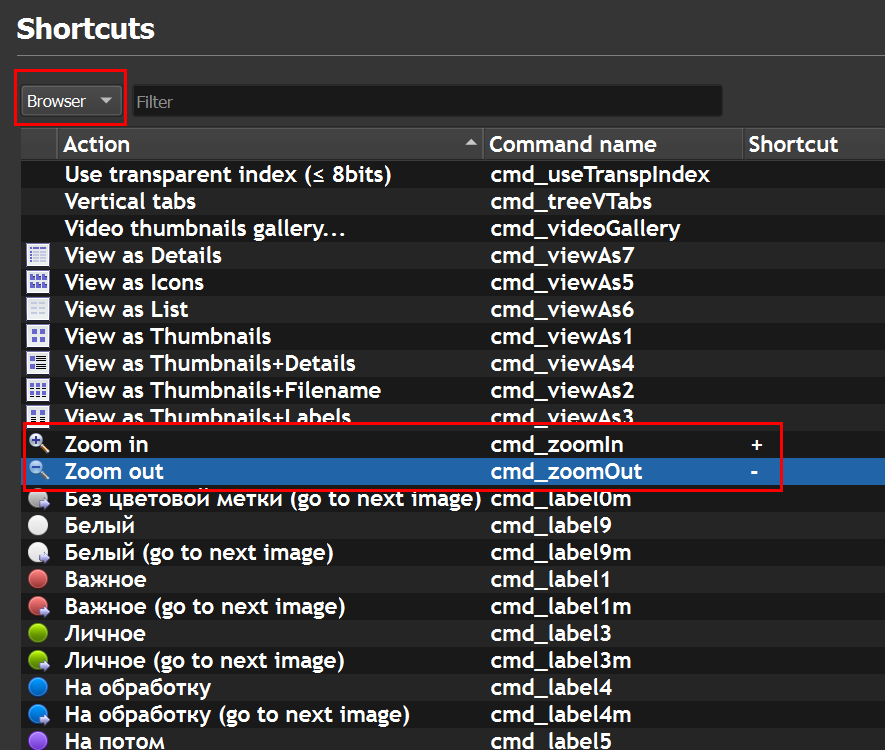
When I searched in Settings, in the Shortcuts section, for commands to zoom on the thumbnail window in the browser, I found that there are indeed Zoom In (+) and Zoom Out (-) commands specifically for the Browser:
https://b.i.getapic.me/oief.png
But they don't work in Thumbnail window. Apparently, this only applies to the Preview window.
CTRL+WHEEL UP / CTRL+WHEEL DOWN to scale thumbnails in the browser
Moderator: xnview
-
adrem85
- Posts: 96
- Joined: Mon Feb 10, 2020 12:47 pm
-
user0

- XnThusiast
- Posts: 3158
- Joined: Sat May 09, 2015 9:37 am