Subject: 1.11.2: Failed to saving AVIF
XnView: MP 1.11.2 - 64-bit (zip)
OS: Windows 11 - 64-bit
Cannot convert any type to AVIF,
Instant failed , sometimes crash
viewing AVIF is fine,
and convert to BMP/JPG/WEBP...are fine, only failed at AVIF.
To reproduce:
1. View any support type img files (BMP/JPG/etc)
2. Tools -> Batch Convert -> set Format to AVIF
3. Press Convert
Actual behaviour (bug): Failed, log says "Saving error", Sometimes MP crashes.
1.11.2 Failed to saving AVIF
Moderators: xnview, Dreamer
-
dsausage
- Posts: 5
- Joined: Thu May 21, 2026 6:16 am
1.11.2 Failed to saving AVIF
Last edited by dsausage on Thu May 21, 2026 10:27 am, edited 2 times in total.
-
user0

- XnThusiast
- Posts: 3159
- Joined: Sat May 09, 2015 9:37 am
Re: 1.11.2 Failed to saving AVIF
steps to reproduce?
-
dsausage
- Posts: 5
- Joined: Thu May 21, 2026 6:16 am
Re: 1.11.2 Failed to saving AVIF
just simply convert any type to AVIF,
tried disable all options and different settings, all failed
win11 up to date,
9700x 64G ram
and ZIP version of XnviewMP
tried disable all options and different settings, all failed
win11 up to date,
9700x 64G ram
and ZIP version of XnviewMP
-
user0
- XnThusiast
- Posts: 3159
- Joined: Sat May 09, 2015 9:37 am
Re: 1.11.2 Failed to saving AVIF
there is save error and sometimes crash when you trying to save large image (~18k) at certain AVIF settings
what are the output dimensions of your images?
same issue if you save image as AVIF from Viewer via File>Save as ?
also show screenshots:
- Batch convert > Actions (if you have any action there)
- Batch convert > Output tab
- format's 'Write settings' (press 'Settings' button in Batch convert > Output tab - Format group)
what are the output dimensions of your images?
same issue if you save image as AVIF from Viewer via File>Save as ?
also show screenshots:
- Batch convert > Actions (if you have any action there)
- Batch convert > Output tab
- format's 'Write settings' (press 'Settings' button in Batch convert > Output tab - Format group)
-
dsausage
- Posts: 5
- Joined: Thu May 21, 2026 6:16 am
Re: 1.11.2 Failed to saving AVIF
Thanks for reply!
> what are the output dimensions of your images?
if you asking the original img, it's 1300x1000x24 49.09KB
if you asking the output result, it's none file output.
> same issue if you save image as AVIF from Viewer via File>Save as ?
oh this works, it saves successfully!
> also show screenshots:
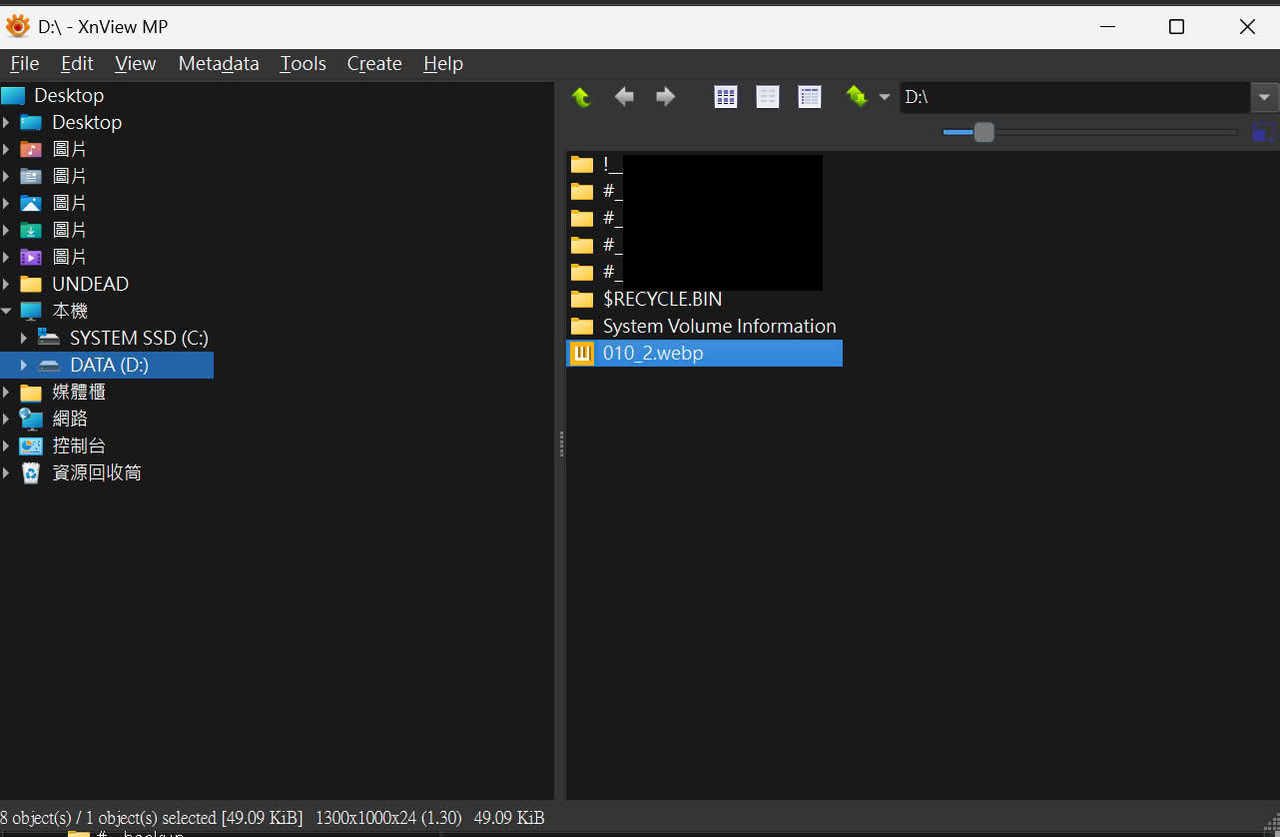
1.file at the D:\
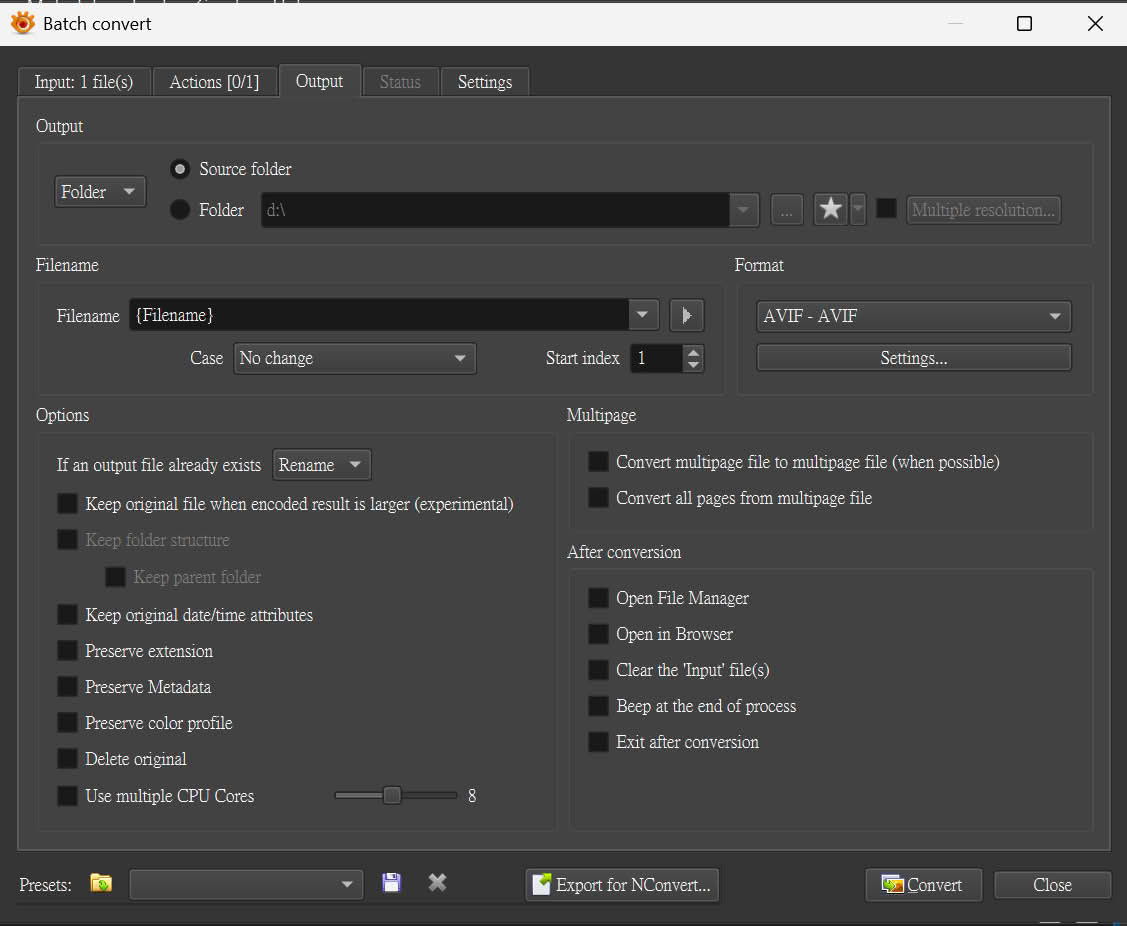
2.batch settings:
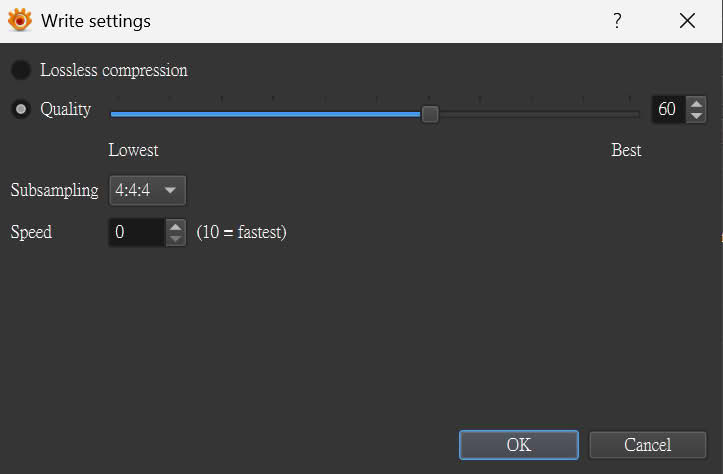
3.Writing settings: (tried change all values, same issue)
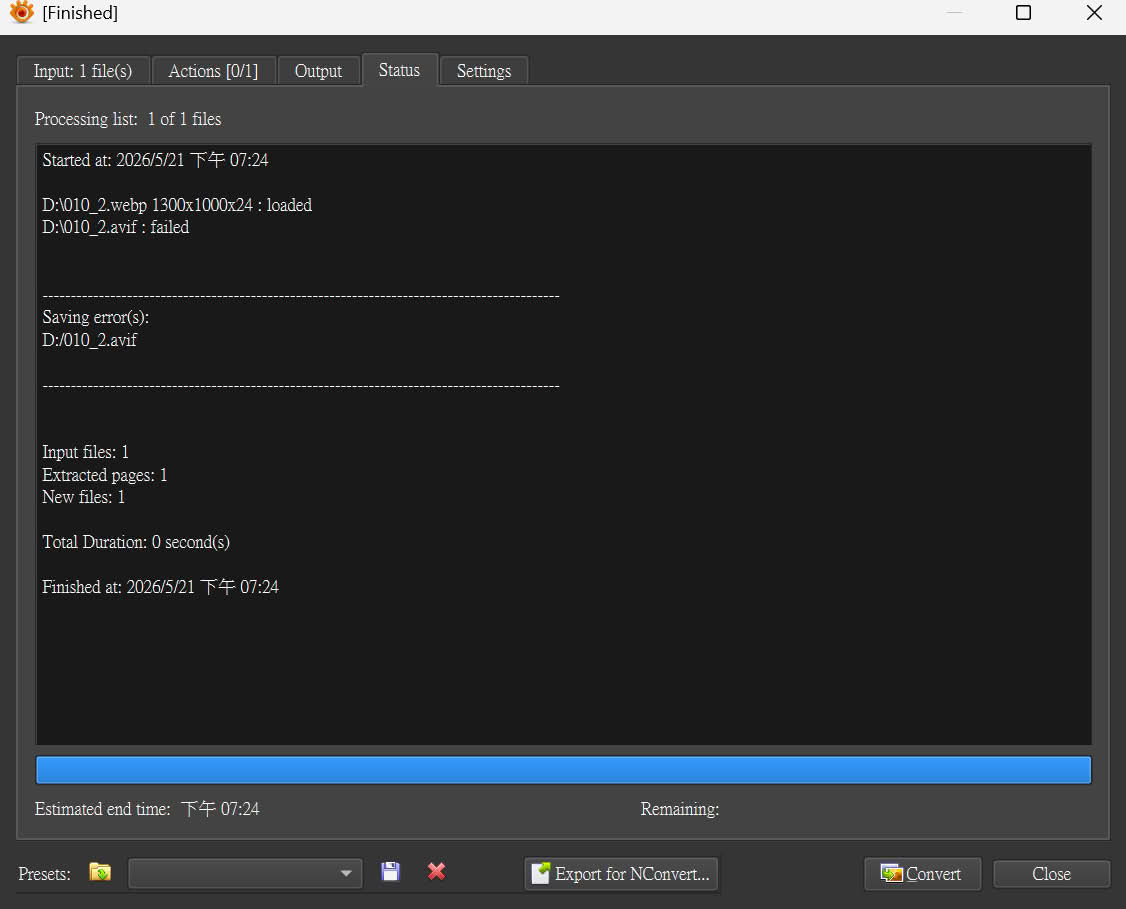
4.result:
> what are the output dimensions of your images?
if you asking the original img, it's 1300x1000x24 49.09KB
if you asking the output result, it's none file output.
> same issue if you save image as AVIF from Viewer via File>Save as ?
oh this works, it saves successfully!
> also show screenshots:
1.file at the D:\
2.batch settings:
3.Writing settings: (tried change all values, same issue)
4.result:
-
user0
- XnThusiast
- Posts: 3159
- Joined: Sat May 09, 2015 9:37 am
Re: 1.11.2 Failed to saving AVIF
I cannot reproduce
if app generates dump file on crash - submit it via report form or zip and attach here
if app generates dump file on crash - submit it via report form or zip and attach here
-
gyoical
- Posts: 19
- Joined: Mon Jan 16, 2023 9:13 am
Re: 1.11.2 Failed to saving AVIF
Having the same issue 
-
dsausage
- Posts: 5
- Joined: Thu May 21, 2026 6:16 am
Re: 1.11.2 Failed to saving AVIF
I might found the problem is
I have an old-version MP, It has plugins\dav1d.dll
It doesn't exist in 1.11.2
I put it in plugins of 1.11.2 and the batch-convert works again.
FYI
I have an old-version MP, It has plugins\dav1d.dll
It doesn't exist in 1.11.2
I put it in plugins of 1.11.2 and the batch-convert works again.
FYI
-
xnview

- Author of XnView
- Posts: 48837
- Joined: Mon Oct 13, 2003 7:31 am
- Location: France
Re: 1.11.2 Failed to saving AVIF
you have it in main folder, i've tried on Win11 and no problem

-
dsausage
- Posts: 5
- Joined: Thu May 21, 2026 6:16 am
Re: 1.11.2 Failed to saving AVIF
Thx for the info, it's newer version in main folder
but in my case I must move it to plugin else it won''t work tho.
but in my case I must move it to plugin else it won''t work tho.
-
masterjp

- Posts: 670
- Joined: Fri Feb 13, 2009 4:37 pm
- Location: Duesseldorf, Germany
Re: 1.11.2 Failed to saving AVIF
I can confirm the batch conversion error with the avif file format under Windows 11 (latest updates).
I did a clean install in a fresh directory to check this problem.
XnViewMP can save pictures in avif format with the 'save as' dialog. It works correctly.
But batch conversion does not work. The log file says saving 'test.avif failed'.
The successful solution is to move the dav1d.dll to plugins subfolder to prevent problems.
I also recognized, that there are 2 dll files with the same version and filesize, but different names.
I have a dav1d.dll and libdav1d.dll. Both have version 1.53.
Maybe different librarys need them with different names? E.g. ffmpeg or other libs?
---
Another strange thing is the avif filesize with the batch conversion and save as dialog.
Maybe both use different avif encoders? I get totally different filesizes with 100 kb dfiference.
I did a clean install in a fresh directory to check this problem.
XnViewMP can save pictures in avif format with the 'save as' dialog. It works correctly.
But batch conversion does not work. The log file says saving 'test.avif failed'.
The successful solution is to move the dav1d.dll to plugins subfolder to prevent problems.
I also recognized, that there are 2 dll files with the same version and filesize, but different names.
I have a dav1d.dll and libdav1d.dll. Both have version 1.53.
Maybe different librarys need them with different names? E.g. ffmpeg or other libs?
---
Another strange thing is the avif filesize with the batch conversion and save as dialog.
Maybe both use different avif encoders? I get totally different filesizes with 100 kb dfiference.
PC: Intel 8700k + Asus Z370-F + 48 GB RAM Corsair+G.Skill + Asus RTX 3050 OC
OS: Windows 11 Pro 64bit 25H2 |
GFX: XnViewMP 1.11.5 | Adobe Photoshop Elements 2024 + Elements XXL 11
Android 8-16: Samsung S7, S10, S23, TAB S7, S11, Ugoos AM7 TV-Box
OS: Windows 11 Pro 64bit 25H2 |
GFX: XnViewMP 1.11.5 | Adobe Photoshop Elements 2024 + Elements XXL 11
Android 8-16: Samsung S7, S10, S23, TAB S7, S11, Ugoos AM7 TV-Box
-
xnview
- Author of XnView
- Posts: 48837
- Joined: Mon Oct 13, 2003 7:31 am
- Location: France
Re: 1.11.2 Failed to saving AVIF
 Thanks to your detailed description I can reproduce the problem.
-
xnview
- Author of XnView
- Posts: 48837
- Joined: Mon Oct 13, 2003 7:31 am
- Location: France
Re: 1.11.2 Failed to saving AVIF
This problem is supposed to be fixed in XnView MP 1.11.4. Please check and confirm the bug fix here.